
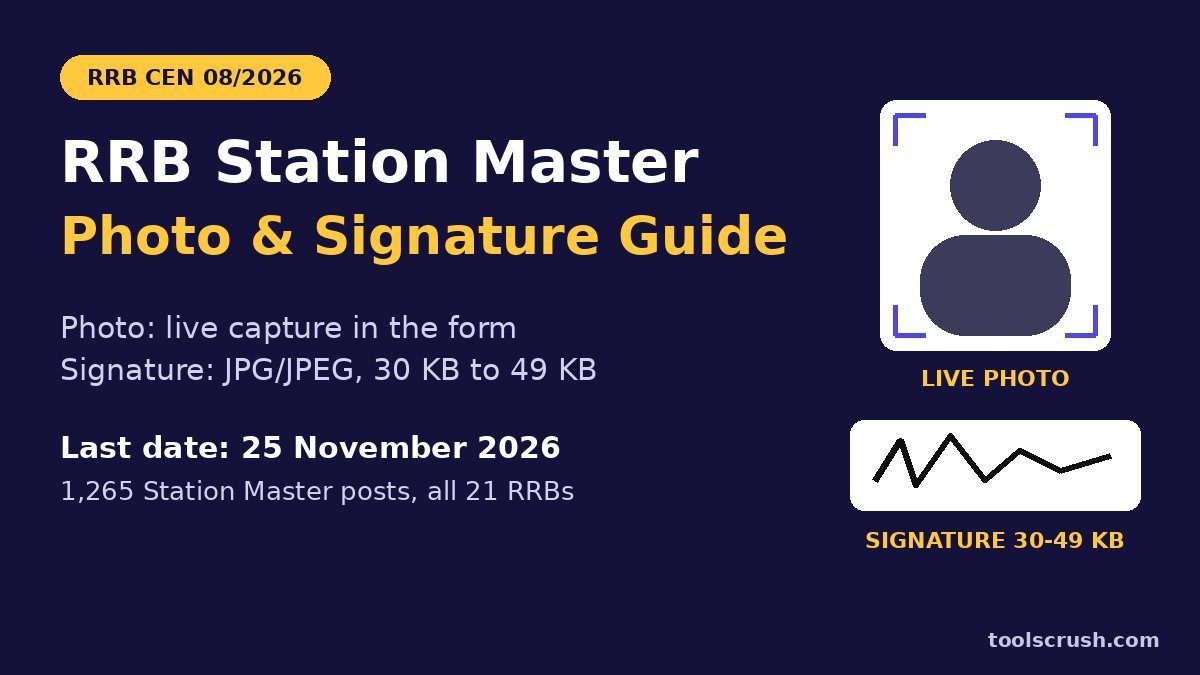
There is no fixed RRB Station Master photo size in KB for 2026, because the CEN 08/2026 form does not take a photo upload at all: it captures a live photo of you through your webcam or phone front camera. The only file you upload is your signature, which must be a JPG or JPEG between 30 KB and 49 KB, at least 140 × 60 pixels, signed in black ink on white paper.
That one change makes the RRB Station Master photo size confusing for many candidates, since old habits say “resize your photo to 20–50 KB”. What decides acceptance is how you look in front of the camera: a plain white background, dark clothes, no spectacles, eyes open and your head filling at least half the frame. The signature, on the other hand, has a narrow 19 KB window that is easy to miss.
This simple guide covers the official rules from the notice, easy live photo tips, and a step-by-step way to get the signature into range with the free ToolsCrush Crop Image tool, Image Resizer and Image Compressor. The last date to apply is 25 November 2026 (23:59 hours).
Key takeaways
- The RRB Station Master photo size question has a simple answer: there is no KB limit, because the photo is captured live in the form. You cannot upload a saved photo.
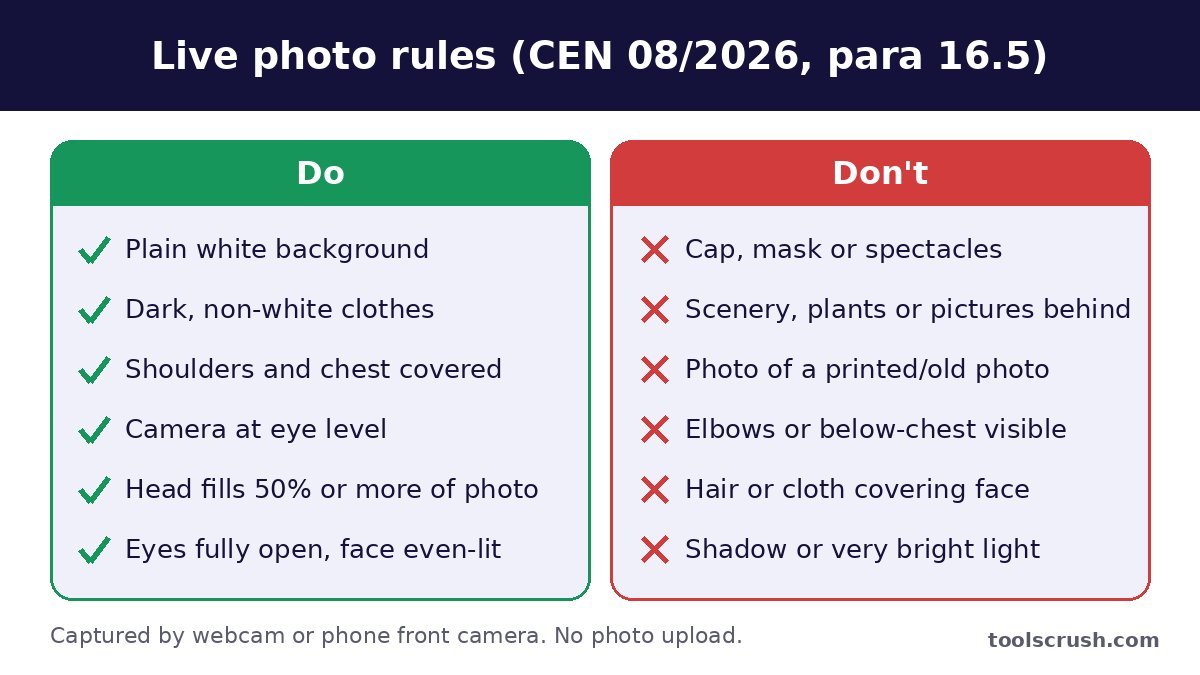
- The live photo needs a pure plain white background, non-white (preferably dark) clothes, the camera at eye level and your head covering at least 50% of the photo.
- No cap, mask or spectacles. Eyes must be fully open, and the face must be free of shadow or excessive light.
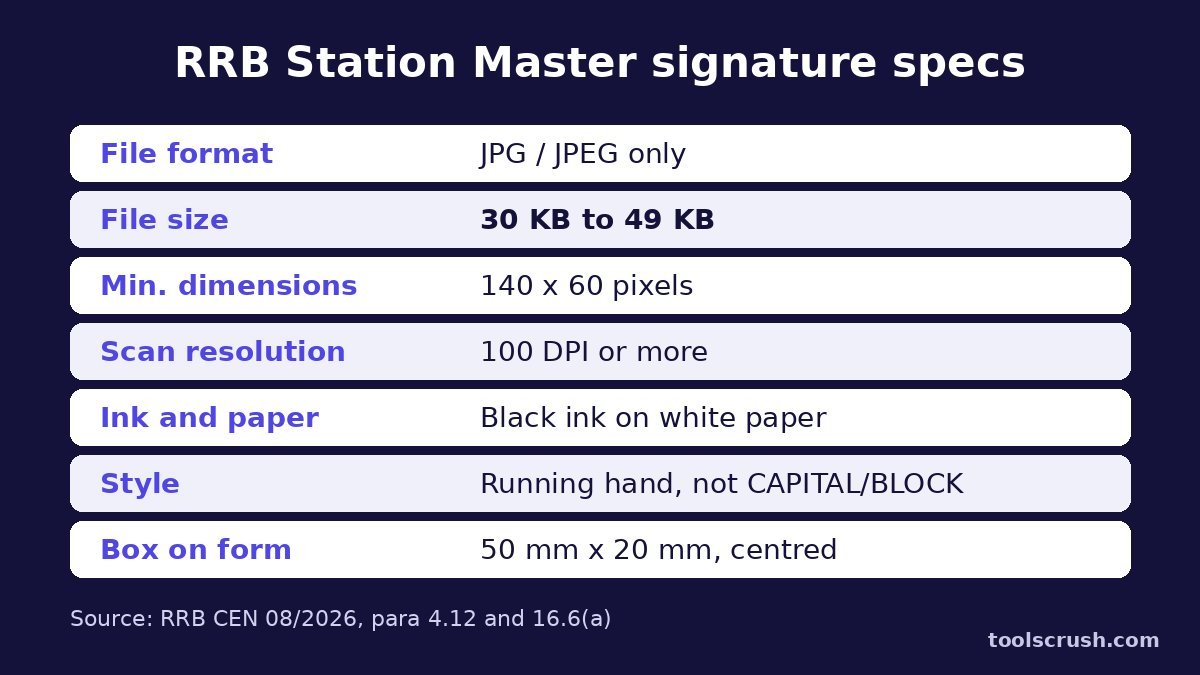
- Unlike the RRB Station Master photo size, the signature has strict limits: JPG/JPEG, 30 KB to 49 KB, at least 140 × 60 pixels, scanned at 100 DPI or more.
- Sign in black ink on white paper, in running hand. CAPITAL, BLOCK or disjointed letters are not accepted.
- Apply on rrbapply.gov.in by 25.11.2026 (23:59 hours). Fee payment closes on 27.11.2026, and the modification window runs from 28.11.2026 to 07.12.2026.
RRB Station Master 2026 at a glance
Before you prepare for the RRB Station Master photo size and signature, note the key facts from the detailed notice. From 2026, Station Master has its own Centralised Employment Notice, CEN 08/2026, instead of being part of RRB NTPC Graduate. The PIB press release of 27 October 2026 confirms 1,265 vacancies in the RRB-wise distribution.
| Detail | As per CEN 08/2026 |
|---|---|
| Post | Station Master, Level 6 (7th CPC), initial pay ₹35,400 |
| Vacancies | 1,265 as per the RRB-wise table (Annexure-B); one summary table shows 1,215 |
| Indicative notice in Employment News | 24.10.2026 |
| Online application opens | 27.10.2026 |
| Last date to apply | 25.11.2026 (23:59 hours) |
| Last date for fee payment | 27.11.2026 |
| Modification window | 28.11.2026 to 07.12.2026 (₹250 per modification) |
| Age | 20 to 33 years as on 01.01.2027 (relaxation for reserved categories) |
| Qualification | Graduate degree from a recognised University |
| Fee | ₹500 (₹400 refunded on appearing in the CBT); ₹250 for concession categories |
| Apply at | www.rrbapply.gov.in (online only, one RRB only) |
Two rules matter before you even reach the RRB Station Master photo size screen. You can apply to only one RRB, and applying to more than one leads to rejection of all applications. And the details filled in “Create an Account”, along with the chosen RRB, cannot be changed even in the modification window.
Official RRB Station Master photo size and signature rules
The rules on the RRB Station Master photo size and signature sit in three places in the notice. Para 4.11 says you must upload a live image of yourself as per para 16.5 and your own signature as per para 16.6. Para 4.12 says the signature must be in running hand. Para 20.1 lists non-compliance with either rule as a ground for rejection at any stage.
| Item | What the notice says | Where |
|---|---|---|
| Photograph | Live photo captured in the form by webcam or phone front camera; no pre-existing photo upload | Para 16.5 |
| RRB Station Master photo size | Not specified (the portal captures it) | Para 16.5 |
| Signature format | JPG / JPEG only | Para 16.6(a) |
| Signature file size | Between 30 KB and 49 KB | Para 16.6(a) |
| Signature dimensions | Minimum 140 pixels (width) × 60 pixels (height) | Para 16.6(a) |
| Scan resolution | Minimum 100 DPI | Para 16.6(a) |
| Signature box | 50 mm × 20 mm, signature centred | Para 16.6(a) |
| SC/ST certificate (only for free rail pass) | PDF, under 400 KB | Para 16.6(b) |
So what is the RRB Station Master photo size?
Strictly, the RRB Station Master photo size is whatever the portal’s camera module records. Para 16.5(a) says candidates are not required to upload a pre-existing photograph, and para 16.5(b) says the module captures a live photograph while you fill the form. There is no KB range, pixel size or centimetre size for you to meet.
What you must meet is the quality rule. The notice says the captured photo must have proper resolution, sharpness and brightness, and that an application with a non-compliant photo is liable to be rejected. So instead of worrying about the RRB Station Master photo size in KB, focus on light, background and framing.
Do not photograph an old photo
To skip the RRB Station Master photo size worry, some candidates hold a printed passport photo, or another phone showing a photo, in front of the camera. The notice is clear: any application where a picture of a printed or digital pre-existing photograph is submitted will be summarily rejected. Sit in front of the camera yourself.
Live photo tips for the RRB Station Master form
Since there is no RRB Station Master photo size to resize, your job is to give the camera a clean, well-lit picture. Every point below comes from para 16.5 of the notice, with practical tips added in simple words.
Background: pure plain white
The notice asks for a pure plain white background, without scenery, plants, or human or animal pictures. For the RRB Station Master photo size check, a white wall works best. Move away from posters, curtains with patterns, cupboards and doors. If your walls are coloured, a plain white bedsheet pinned flat behind you is a good home solution; keep it free of folds and creases.
Clothes: dark and covering shoulders
Wear proper dress that covers your shoulders and chest. The notice asks for non-white clothing, preferably in plain dark colours, so that you stand out from the white background. A navy, black or dark green shirt or kurta without big prints is ideal. Avoid white, cream and light grey.
Lighting: even light on the face
The face must be clearly visible without shade, and there should be no excessive light on the background. The easiest setup is to face a window in daytime, so soft light falls evenly on your face. Do not sit with a window or bright bulb behind you, which turns your face dark. Switch off a single harsh overhead light if it throws shadows under your eyes.
Framing: camera at eye level, head 50% of the photo
Keep the camera at eye level. On a laptop, put a few books under it; on a phone, rest it on a shelf or ask someone to hold it steady. Sit directly in front, look straight ahead with a neutral expression, and keep your full face inside the frame shown on screen.
The notice says your head should occupy at least 50% of the total photo area, and the elbows and the area below the chest should not be visible. In practice, the RRB Station Master photo size on screen is right when you sit about an arm’s length from a laptop webcam and adjust until your head and shoulders fill the frame.
Spectacles, cap, mask and hair
Remove spectacles, cap and mask before you capture. The full face must be visible without any obstruction from hair, cloth or any cover, so tie back hair that falls over your forehead or eyes. Keep your eyes fully open: the notice says the photo will not be captured otherwise, and a photo with closed eyes is liable for rejection.
Preview and retake
You may preview the captured photo and retake it if you are not satisfied, until the application is submitted. Use this. The preview is your RRB Station Master photo size check. Zoom into it and check that your face is sharp, evenly lit and centred. A minute spent here does more for you than any RRB Station Master photo size tool.
If the live photo does not match your photo ID
The live photo is checked against the photo ID details you give. If it does not match, the form lets you download Annexure VIII, which a Gazetted Officer must sign and attest, and you then upload it as proof of identity. To avoid this, keep your look in the live photo close to your Aadhaar or other ID photo. Your appearance during the whole recruitment must also match the live photo.
Official signature specifications
The RRB Station Master photo size has no KB limit, so the signature is the one upload where file size really matters. Para 16.6(a) of the notice lists the rules that sit beside the RRB Station Master photo size, and para 4.12 adds that your signature must be uniform at every stage and in running hand.
- Sign it yourself. A signature by any other person is a ground for rejection.
- Use a black ink pen on white paper. Blue ink and coloured or lined paper are risky, since non-black ink and non-white background are listed grounds for rejection.
- Write in running handwriting (cursive, joined letters), not in BLOCK, CAPITAL or disjointed letters.
- Keep the full signature clear, legible and inside the scanned area. A cut-off signature can be rejected.
- Scan at 100 DPI or more and save it as JPG/JPEG only.
- Keep the file between 30 KB and 49 KB, with at least 140 × 60 pixels.
- Do not upload a thumb impression, a blank image or any other image in place of the signature.
Your signature must match at the CBT, CBAT, DV, medical and appointment, and para 21.8 warns that signing in CAPITAL letters at the exam hall leads to rejection. Use your everyday running signature.
Why the 30 KB minimum catches people out
Compared with the RRB Station Master photo size, which needs no resizing, the signature limit is tight. The upper limit of 49 KB is not hard to meet. The lower limit of 30 KB is the tricky one. A signature is mostly white paper with a few thin black lines, and JPG compresses plain white areas very well. A neat, small signature can easily come out at 10–20 KB. Many candidates search only for the RRB Station Master photo size and miss this.
To show this, we made a test image like a phone photo of a black-ink signature on paper, in the same 5:2 shape as the 50 mm × 20 mm box. We saved it at different widths as JPG with quality 80. Here is what we got.
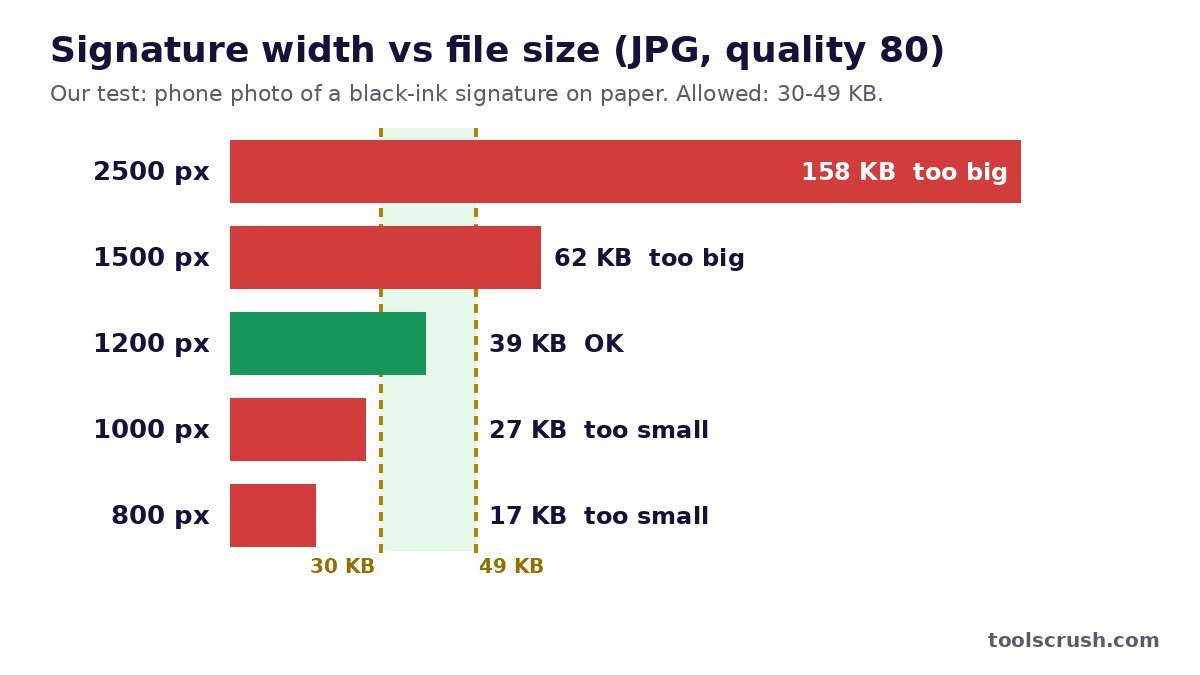
| Signature width × height | File size (JPG, quality 80) | Accepted (30–49 KB)? |
|---|---|---|
| 2500 × 1000 px | 158 KB | No, too big |
| 1500 × 600 px | 62 KB | No, too big |
| 1200 × 480 px | 39 KB | Yes |
| 1000 × 400 px | 27 KB | No, too small |
| 800 × 320 px | 17 KB | No, too small |
We also tried a very clean version with a pure white background, like a flatbed scan. It was much lighter: at quality 90, 1500 × 600 px gave 42 KB, while 1200 × 480 px gave about 30 KB, right on the edge. So a clean scan often needs a larger width or a higher quality than a phone photo of the same signature.
The lesson: do not shrink the signature to a tiny 300–400 px strip, as some old guides suggest. For this form, a width of about 1,000–1,500 px is the usual sweet spot, and the quality setting does the fine-tuning. Your own numbers will differ a little, so always check the final size.
How to resize the signature to 30–49 KB, step by step
The RRB Station Master photo size needs no tools, but for the signature you need three free browser tools: the Crop Image tool, the Image Resizer and the Image Compressor. They work on Android, iPhone, Windows and Mac, and your file stays on your own device.
Step 1: Sign and capture
Sign on a plain white A4 sheet with a black pen, a little larger than usual so the strokes stay clear. Scan it at 100 DPI or more, or photograph it in daylight with the phone held flat above the paper, so there is no shadow or tilt.
Step 2: Crop to a 5:2 shape
Open the Crop Image tool and select the image. Choose Freeform and drag the box around the signature, leaving a small white margin on all sides. Aim for a shape roughly 2.5 times wider than it is tall, like the 50 mm × 20 mm box. Set the format to JPG Image (.jpg) and tap Crop & Download.
Step 3: Resize to about 1,000–1,500 px wide
Open the Image Resizer, select the cropped file and choose By Pixels. Type a width of about 1,200 px; the aspect ratio lock fills in the height. Choose JPG Format and tap Resize & Download. This is far above the 140 × 60 pixel minimum, which is what you want for clarity.
Step 4: Fine-tune the KB
Check the file size. If it is above 49 KB, open the Image Compressor, move the quality slider down in small steps and stop around 35–45 KB, then tap Download Compressed Image. If it is below 30 KB, go back to the cropped original and resize to a larger width, such as 1,500 px. Our compress image to 50KB guide explains the quality slider in more detail.
Step 5: Check before upload
On Android, open the image in Gallery and tap Details. On iPhone, use the Files app and Get Info. On Windows, right-click and choose Properties. Unlike the RRB Station Master photo size, this file is fully your responsibility. Confirm the size is 30–49 KB, the file ends in .jpg or .jpeg, and the signature looks sharp and black on white when you zoom in.
RRB Station Master photo size for later stages
The live photo covers the RRB Station Master photo size only for the application. The notice asks for real photographs at later stages too, so keep a recent printed passport photo ready.
- CBT, CBAT, DV and medical: bring a colour passport photograph not older than two months from the date of that stage (para 21.7), along with your e-call letter and an original photo ID.
- Before document verification: upload scanned true-colour copies of your photo and signature on the RRB DV portal before your DV date (para 22.2). The notice does not give a KB limit for this upload; follow the portal’s on-screen instructions.
- Vision certificate: a different RRB Station Master photo size rule applies here. The Annexure VI eye specialist certificate needs a self-attested recent passport-size photo not more than one month old, and you must bring it in original to the CBAT.
So the RRB Station Master photo size question returns at the DV upload stage. When it does, check the instructions on the portal at that time rather than guessing from older notices.
Getting the RRB Station Master photo size right on a mobile phone
Most candidates fill the form on a phone. For the RRB Station Master photo size, the live photo uses the front camera, and these tips help both the photo and the signature.
- Clean the front camera lens with a soft cloth. A greasy lens makes the face blurry, and the notice asks for proper sharpness.
- Prop the phone at eye level on a shelf or stack of books, rather than holding it low and looking down.
- On iPhone, photos of your signature may save as HEIC. Set Camera, then Formats, to Most Compatible so they save as JPG. Apple’s guide to HEIF and HEVC explains this setting.
- Do not send the signature to yourself on WhatsApp first. That adds extra compression and can push it below 30 KB.
- JPG and JPEG are the same format; you can read about the JPEG standard on its official site. PNG and WebP are not accepted for the signature.
Checklist before you submit
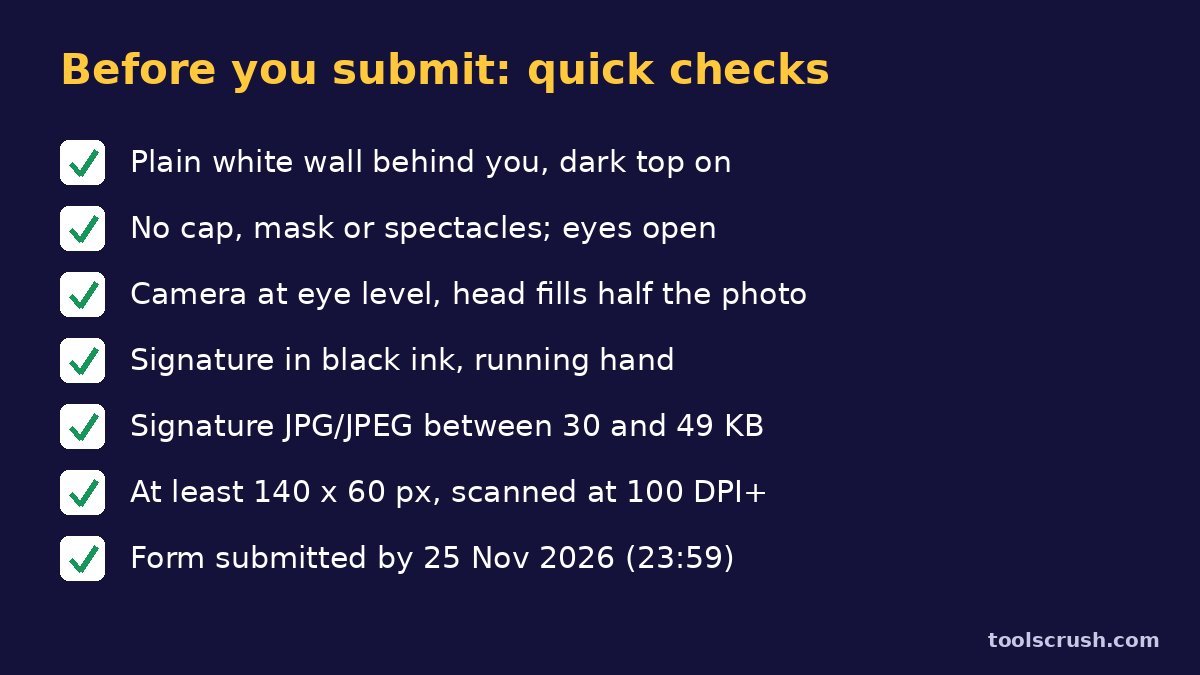
- Plain white wall behind you, dark non-white top on.
- No cap, mask or spectacles; hair off the face; eyes fully open.
- Camera at eye level; head fills at least half the photo; nothing below the chest visible.
- Preview checked: face sharp, evenly lit, no shadows.
- Signature in black ink, running hand, on white paper.
- Signature JPG/JPEG, between 30 KB and 49 KB, at least 140 × 60 pixels.
- Only one RRB chosen; form submitted by 25.11.2026 (23:59 hours) and fee paid by 27.11.2026.
Applying for RRB NTPC 2026 too?
If you are also applying for RRB NTPC 2026, our RRB NTPC signature size guide covers that form. Read each notice on its own, because small details such as the signature box can differ between CENs, and the RRB Station Master photo size rules here come only from CEN 08/2026. For general tips on exam photos and signatures, see our resize photo and signature guide.
Frequently asked questions
What is the RRB Station Master photo size for 2026?
There is no KB or pixel limit for the photo. CEN 08/2026 does not take a photo upload; the form captures a live photo through your webcam or phone front camera. It must have a plain white background, dark clothes, no spectacles, and your head covering at least 50% of the photo.
What is the RRB Station Master signature size?
The signature must be a JPG or JPEG file between 30 KB and 49 KB, at least 140 × 60 pixels, scanned at 100 DPI or more, in black ink on white paper.
Can I upload a saved passport photo instead of the live photo?
No. The notice says candidates are not required to upload a pre-existing photograph, and taking a picture of a printed or digital photo leads to summary rejection.
Can I wear spectacles in the live photo?
No. This matters more than any RRB Station Master photo size setting. The notice says not to wear a cap, mask or glasses while capturing the photo. The full face must be visible.
Why does the portal say my signature is too small?
The minimum is 30 KB. A clean signature on white paper compresses very well. Resize it to about 1,200–1,500 px wide and keep JPG quality high, then check the size again.
Can I sign in capital letters?
No. The signature must be in running hand, not in block, capital or disjointed letters. Signing in capital letters is a ground for rejection.
What is the last date for the RRB Station Master 2026 form?
Apply by 25.11.2026 (23:59 hours) on www.rrbapply.gov.in. The fee for submitted applications can be paid until 27.11.2026, and the modification window is 28.11.2026 to 07.12.2026.
Do I need a printed photo later?
Yes. After the live RRB Station Master photo size step, bring a colour passport photograph not older than two months to the CBT, CBAT, document verification and medical examination.
Now you know that the RRB Station Master photo size is handled by the live camera, and that the real work is a clean live photo and a 30–49 KB signature. Prepare the signature today, set up your white wall and dark shirt, and submit well before 25 November 2026.
This guide is based on the detailed RRB CEN 08/2026 (Station Master) notice and the Ministry of Railways release (PDF). Rules can change through a corrigendum, so always follow the latest notice on the unified official RRB website, rrb.indianrailways.gov.in, and the on-screen instructions. The medical manual mentioned in the notice is on indianrailways.gov.in. ToolsCrush is not connected with the Railway Recruitment Boards or any government body.