
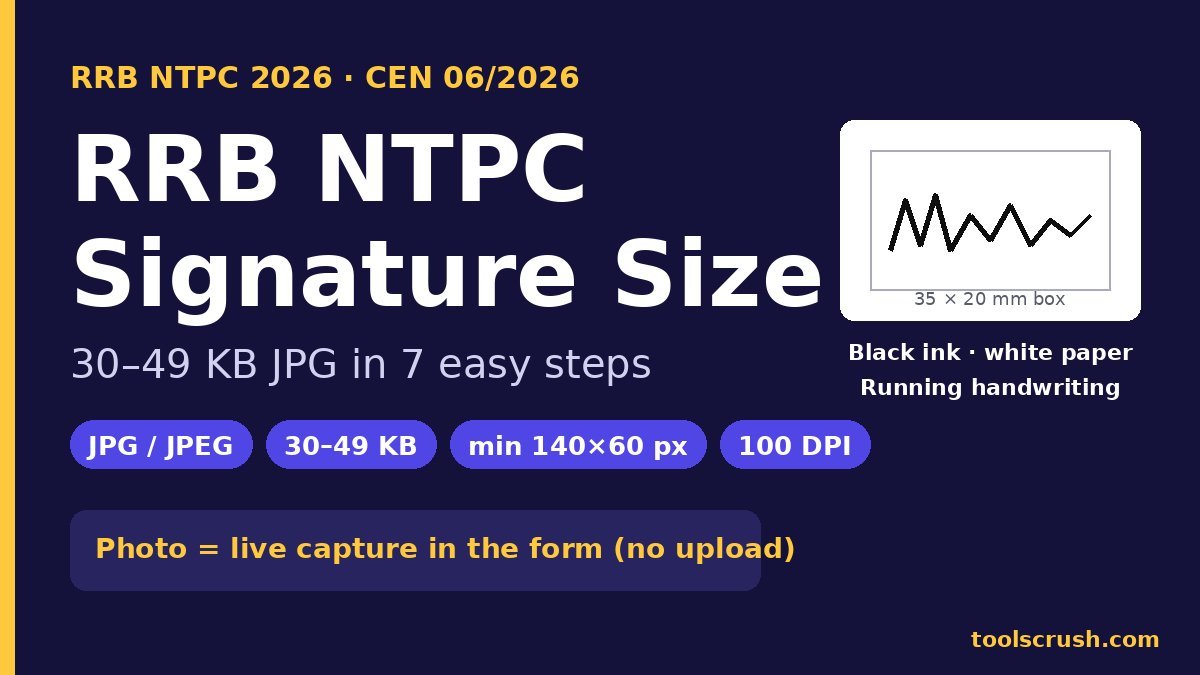
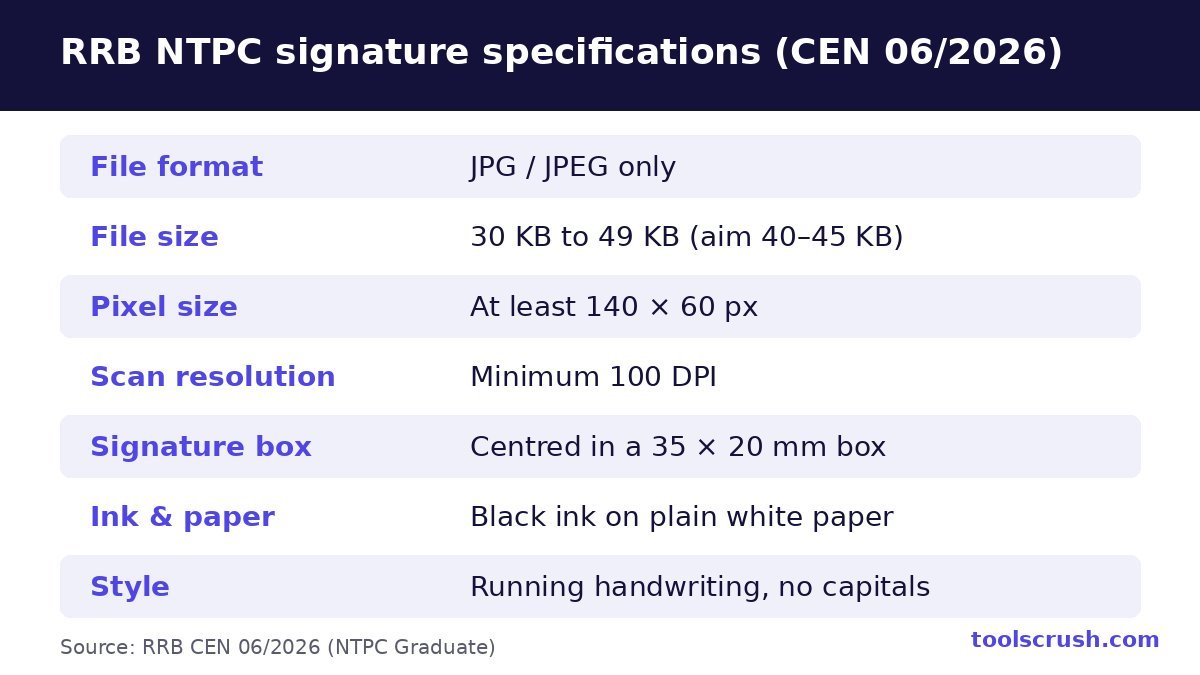
RRB NTPC signature size for the 2026 Graduate form (CEN 06/2026) is 30 KB to 49 KB, in JPG or JPEG format, at least 140 × 60 pixels, scanned at 100 DPI or more. Sign in black ink on white paper, in running handwriting, and keep the signature centred as if inside a 35 mm × 20 mm box. There is no photo file to upload this time, because the portal takes a live photo through your phone or webcam while you fill the form.
That 30 KB minimum catches lots of people out. Most bank and SSC forms want a 10–20 KB signature, so the file sitting in your phone from your last form is usually too small for the RRB NTPC signature size rule. This guide covers the full RRB NTPC photo and signature size rules and shows you how to fix that in about two minutes with free tools, how to shrink a file that is too big, and how to pass the live photo step on the first try.
Last date (Graduate, CEN 06/2026): 6 November 2026, 11:59 PM. Fee payment closes on 8 November, and the modification window runs from 9 to 18 November 2026. The Undergraduate notice (CEN 07/2026) closes on 13 November 2026.
Key takeaways
- The RRB NTPC signature size is 30–49 KB, JPG/JPEG, minimum 140 × 60 px, minimum 100 DPI.
- Aim for 40–45 KB. The upper limit is 49 KB, not 50 KB.
- There is no RRB NTPC photo size to worry about at the application stage. The photo is a live capture.
- A tiny 5–12 KB signature needs more pixels, not just higher quality, to reach the RRB NTPC signature size. Resize it to about 600 × 340 px first.
- Keep your edited signature file safe. You will need the same signature at the CBT, Document Verification and the medical exam.
- Carry a colour passport photo, not older than two months, to the CBT and DV.
RRB NTPC photo and signature size at a glance
Here is the complete RRB NTPC photo and signature size table for the 2026 Graduate notice, taken from CEN 06/2026. Save it or take a screenshot before you start the form.
| Item | What the 2026 notice asks for |
|---|---|
| Photo at application | Live photo by webcam or phone front camera. No photo upload. |
| Signature format | JPG / JPEG only |
| RRB NTPC signature size (file) | 30 KB to 49 KB |
| Signature dimensions | At least 140 × 60 pixels |
| Scan resolution | Minimum 100 DPI |
| Signature placement | Centred within a 35 mm × 20 mm box |
| Ink and paper | Black ink on plain white paper |
| Style | Running (joined) handwriting, not capital or block letters |
| Printed photo for CBT and DV | Colour passport photo, not older than two months |
Some coaching sites still list a photo of 30–70 KB at 35 × 45 mm. That is from older notices. For CEN 06/2026 the photo is captured live, so the only file-size rule you have to meet at this stage is the RRB NTPC signature size.
RRB NTPC signature size rules explained
Each number in the notice has a reason behind it. Once you understand them, getting the file right becomes simple.
RRB NTPC signature size: why 30 KB to 49 KB?
The board wants a signature that is clear enough to compare with your handwriting at every later stage. A file under 30 KB is usually too small or too blurry for that, and a file over 49 KB slows the portal down. So the RRB NTPC signature size sits in a narrow band. Treat 49 KB as a hard wall: a file at 49.6 KB shows as “50 KB” on many phones and can still be rejected.
RRB NTPC signature size in pixels and DPI, explained simply
Pixels are the tiny dots that make up your image. A 140 × 60 px image has 140 dots across and 60 dots down. That is the minimum, so a bigger image such as 600 × 340 px is allowed and is usually better.
DPI means dots per inch. It tells you how many pixels were captured for each inch of paper. The notice asks for a scan of at least 100 DPI. A 35 mm wide box is about 1.38 inches, so at 100 DPI it becomes about 138 pixels wide. That is why the minimum width in the RRB NTPC signature size rules is 140 px. A modern phone camera captures far more than 100 DPI, so a clear phone photo of your signature meets this rule easily.
| Term | Simple meaning | What to do |
|---|---|---|
| Pixels (px) | Number of dots in the image | Keep at least 140 × 60; about 600 × 340 is ideal |
| DPI | Dots captured per inch of paper | At least 100 DPI; any clear phone photo or scan is fine |
| KB | Space the file takes | Between 30 KB and 49 KB |
| JPG / JPEG | Image format | Export as .jpg, not PNG, HEIC or PDF |
The 35 × 20 mm box, black ink and running handwriting
Draw a light 35 mm × 20 mm box on white paper if it helps, sign inside it, then crop just outside the box so the signature sits in the centre. The box is part of the RRB NTPC signature size rules because it fixes the shape of the image. Use a black ball pen or gel pen. Sign in your normal running (joined) handwriting. Capital letters or separate block letters are not accepted as a signature.
Why your signature keeps getting rejected
A signature is mostly white paper, and white compresses extremely well. So a 140 × 60 pixel JPG of your signature is often only 5–12 KB, well below the 30 KB minimum RRB NTPC signature size. Moving the quality slider to 100% won’t save you if the image has too few pixels.
The fix is to make the image bigger while keeping the same shape. A size of around 600 × 340 pixels keeps the shape of the 35 mm × 20 mm box and usually lands comfortably in the 30–49 KB range. If you have the opposite problem, a raw phone photo of 2–4 MB, you first resize it and then lower the quality until it fits.
RRB NTPC signature size in 7 easy steps (free, on your phone)
Follow these steps to get the exact RRB NTPC signature size without installing any app.
- Sign on plain white paper with a black pen, in your normal running handwriting. Sign a little bigger than usual so the strokes stay sharp.
- Take a photo in daylight, holding the phone straight above the paper so there’s no shadow.
- Crop tightly around the signature with the Crop Image tool. Leave a small white margin on all sides.
- Resize to about 600 × 340 px with the Image Resizer. Choose JPG as the export format and download.
- Set the file size in the Image Compressor. Move the quality slider and watch the “Compressed Size” figure until it reads 40–45 KB, then download.
- Check the file details. Open the file’s details on your phone and confirm it’s a .jpg within the RRB NTPC signature size of 30–49 KB.
- Upload and preview. Upload it on the form, zoom in on the preview, and confirm every stroke is dark and clear before you move on.
Everything runs inside your browser, so your signature never leaves your phone. Once the file meets the RRB NTPC signature size, rename it to something simple such as signature.jpg so you can find it again before DV.
Increase 12 KB to 30 KB or reduce 80 KB to 49 KB
These are the two problems we see most often with the RRB NTPC signature size. Pick the one that matches your file.
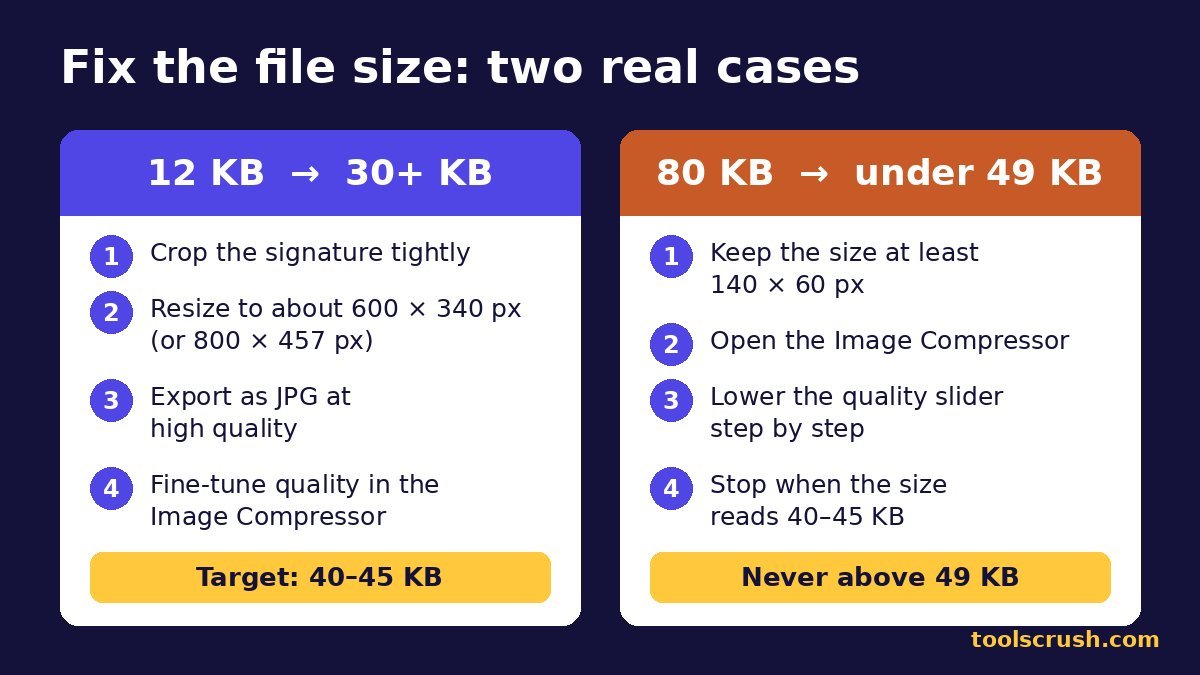
How to increase a 12 KB signature to 30 KB
- Open your 12 KB file in the Image Resizer.
- Increase the size to about 600 × 340 px. Keep the aspect ratio locked so the signature doesn’t stretch.
- Export as JPG at high quality and check the size.
- If it’s still under 30 KB, resize again to about 800 × 457 px and export once more.
- Use the Image Compressor only to bring the final file into the 40–45 KB band if it overshoots.
Increasing pixels from an already tiny image can make the edges soft. If the result looks blurry, it is faster to sign again on fresh paper and start from a new phone photo.
How to reduce an 80 KB signature to 49 KB
- Open the 80 KB file in the Image Compressor.
- Lower the quality slider in small steps and watch the size figure.
- Stop when it reads 40–45 KB, the safest part of the RRB NTPC signature size range. Do not go all the way down to 30 KB, which can blur the strokes.
- If quality has to drop too low, first reduce the dimensions to about 600 × 340 px in the Image Resizer, then compress.
- Confirm the width and height are still at least 140 × 60 px.
RRB NTPC signature size rejection reasons and fixes
The notice lists grounds for rejection at any stage, even after you clear the CBT. Use this table as a final check on your RRB NTPC signature size file and how it looks.
| Problem | Why it fails | Quick fix |
|---|---|---|
| File under 30 KB | Below the minimum size | Resize to about 600 × 340 px, then export again |
| File over 49 KB | Above the maximum size | Lower quality in the Image Compressor |
| PNG, HEIC or PDF file | Only JPG/JPEG is allowed | Export or convert to .jpg |
| Capital or block letters | Not accepted as a signature | Sign in running handwriting |
| Blue ink or coloured paper | Notice asks for black ink on white | Sign again with a black pen on white paper |
| Grey shadow or dark background | Signature is hard to read | Photograph in daylight from directly above |
| Blurred or cut-off strokes | Low resolution or bad crop | Retake the photo and crop with a margin |
| Thumb impression or another image | Not a signature | Upload only your own signature |
| Someone else signed | Leads to rejection at any stage | Always sign yourself |
Your signature must also match the one you put on your exam papers, at Document Verification and at the medical exam. Sign the way you’ll sign on every railway document for the next few months.
RRB NTPC photo size: how the live photo works
Many candidates still search for the RRB NTPC photo size and then look for a photo upload button that doesn’t exist. Under CEN 06/2026, the portal opens your camera and captures your face while you apply. Because there’s no file, there’s no RRB NTPC photo size in KB or pixels to meet, unlike the RRB NTPC signature size. What matters is light, background and a clear face.
Live photo checklist: lighting and background
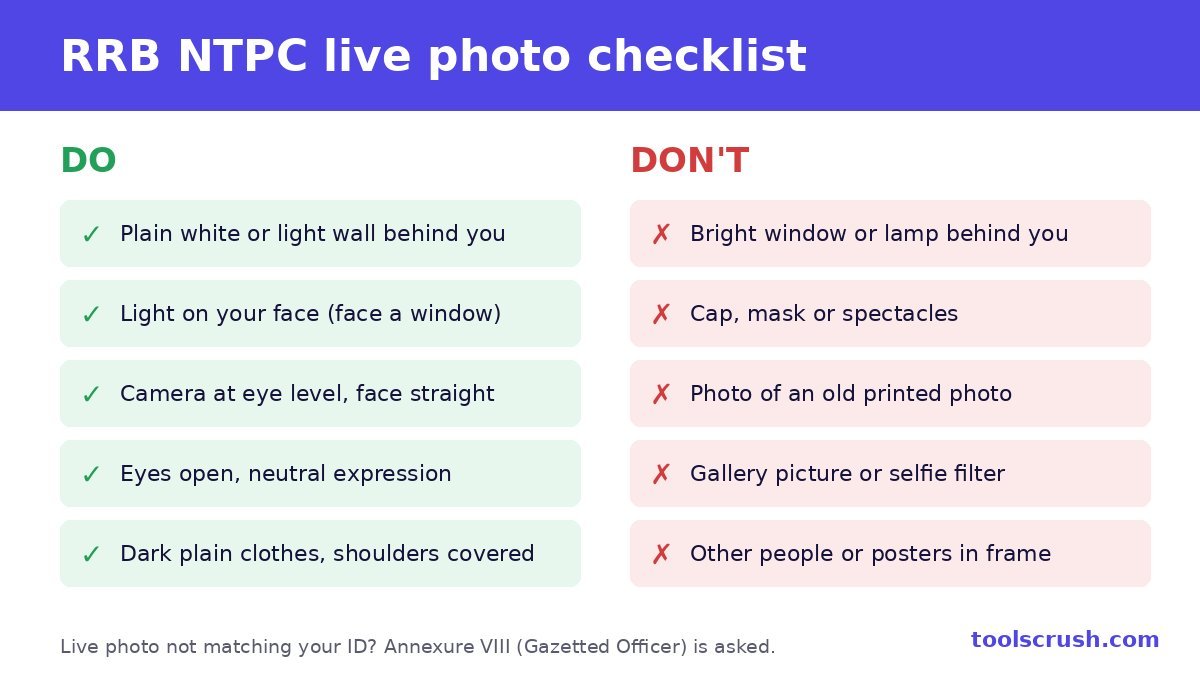
- Plain white or light wall behind you. No posters, doors or people.
- Dark, plain clothes that cover your shoulders. A white shirt blends into the wall.
- Light in front of you, like a window you’re facing. Never a bright window or lamp behind you.
- Camera at eye level, face straight on, eyes fully open, neutral expression.
- No cap, mask or spectacles. Keep hair off your face.
- Head should fill at least half the frame. Nothing below your chest should show.
You can preview and retake the photo until you submit, so zoom in and retake if your face looks dark or blurry. Never photograph an old printed photo or a picture from your gallery. The notice says such applications are rejected outright.
Phone vs webcam: which is better for the live photo?
| Point | Phone front camera | Laptop webcam |
|---|---|---|
| Image quality | Usually sharper | Often grainy in low light |
| Holding steady | Rest it on a stack of books at eye level | Fixed, but often below eye level |
| Lighting | Easy to turn towards a window | Need to move the laptop to face light |
| Best for | Most candidates | Those filling the whole form on a computer |
If you use a laptop, raise it on books so the webcam is level with your eyes, and switch off any beauty or blur effect in your camera app.
If the live photo doesn’t match your ID
If the live photo doesn’t match your photo ID, you may be asked for Annexure VIII signed by a Gazetted Officer. Verifying your account with Aadhaar or DigiLocker and taking the photo in good light makes a mismatch far less likely.
Printed photo for the CBT and DV
For the CBTs and Document Verification, you’ll need a colour passport-size photo not older than two months from the date of that stage. Since the stages are months apart, plan for fresh prints more than once. Before DV, shortlisted candidates also upload colour scans of their photo and signature on the DV portal, so keep the edited file that meets the RRB NTPC signature size safe.
RRB NTPC Graduate vs Undergraduate (CEN 07/2026)
Two separate notices are open this season. If you are eligible for both, read each one, because the dates and eligibility differ.
| Point | Graduate (CEN 06/2026) | Undergraduate (CEN 07/2026) |
|---|---|---|
| Qualification | Graduation from a recognised university | Class 12 (10+2) pass |
| Vacancies | 3,548 | 1,688 |
| Posts | Goods Train Manager (2,750), Senior Clerk cum Typist (371), Junior Accounts Assistant cum Typist (300), Chief Commercial cum Ticket Supervisor (127) | Commercial cum Ticket Clerk, Accounts Clerk cum Typist, Junior Clerk cum Typist, Trains Clerk |
| Pay level | Level 5 and Level 6 | Level 2 and Level 3 |
| Age limit (1 Jan 2027) | 18–33 years | 18–30 years |
| Apply online | 8 Oct to 6 Nov 2026 | 15 Oct to 13 Nov 2026 |
This guide covers the Graduate RRB NTPC signature size and live photo rules. If you are filling the Undergraduate form, check the upload specifications in CEN 07/2026 on the same portal before you prepare your files.
Document checklist before you start the form
- Signature JPG matching the RRB NTPC signature size: 30–49 KB, minimum 140 × 60 px
- Aadhaar or DigiLocker access for account verification
- Class 10 certificate for your name and date of birth
- Graduation details (marks, year of passing)
- Category certificate (SC/ST/OBC-NCL/EWS) if you claim reservation
- SC/ST certificate under 400 KB, only if you want the free travel pass
- A working mobile number and email ID
- UPI, debit card or net banking for the fee
- A quiet, well-lit room with a plain wall for the live photo
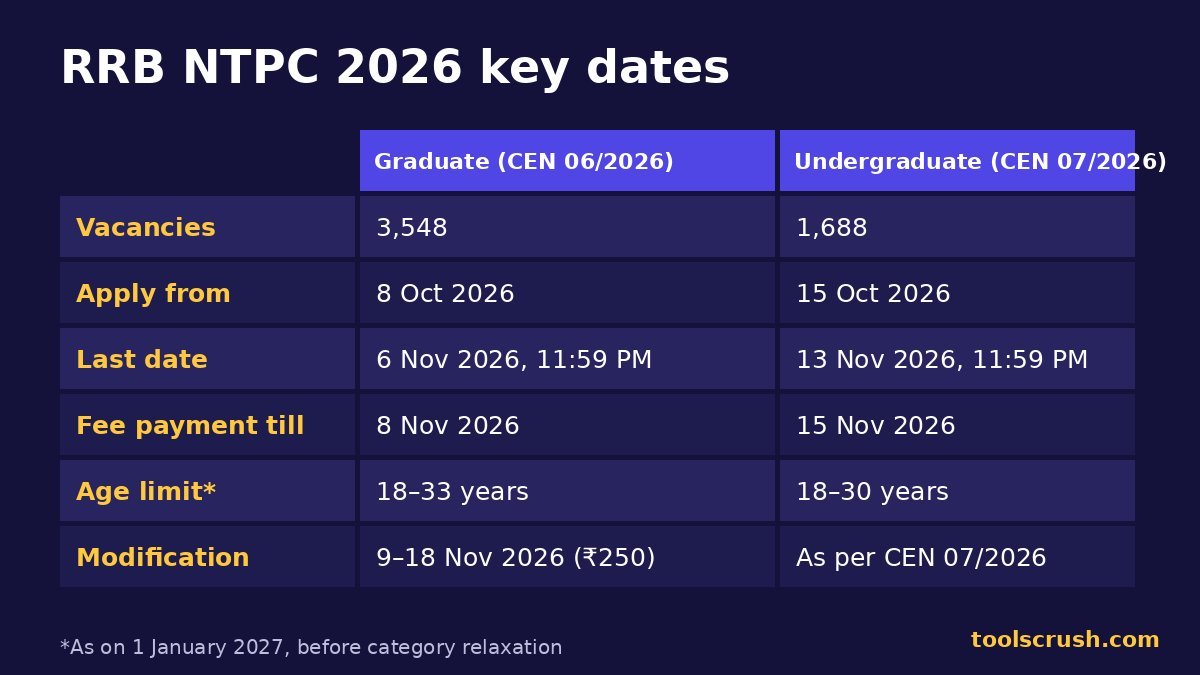
RRB NTPC 2026 key dates
| Event | Graduate (CEN 06/2026) | Undergraduate (CEN 07/2026) |
|---|---|---|
| Apply online from | 8 October 2026 | 15 October 2026 |
| Last date to apply | 6 November 2026, 11:59 PM | 13 November 2026, 11:59 PM |
| Last date for fee | 8 November 2026 | 15 November 2026 |
| Modification window | 9–18 November 2026 (₹250 per occasion) | As per CEN 07/2026 |
In the modification window you can correct most details, but each round of changes costs ₹250. It is cheaper to check your RRB NTPC signature size and every other detail before final submission.
Apply only at the official portal, rrbapply.gov.in, and apply to only one RRB. Multiple applications get all of them rejected. You can read the full rules in the official CEN 06/2026 notice (PDF) and the dates in the PIB release from the Ministry of Railways.
Check your age limit in 10 seconds
The Graduate posts have an age limit of 18–33 years as on 1 January 2027, with 3 years’ relaxation for OBC-NCL and 5 years for SC/ST. Put your date of birth and 01-01-2027 into the Age Calculator to see your exact age on the cut-off date.
Frequently asked questions
What is the RRB NTPC signature size in KB?
The RRB NTPC signature size is 30 KB to 49 KB, in JPG/JPEG format, at least 140 × 60 pixels, scanned at 100 DPI or more, in black ink on white paper.
What is the RRB NTPC photo size for 2026?
For CEN 06/2026 there is no RRB NTPC photo size to meet, because there is no photo file to upload. The form captures a live photo by camera while you apply. You only upload a signature.
My signature is only 12 KB. How do I increase it to 30 KB?
Increase the pixel size, not just the quality. Resize it to about 600 × 340 px with the Image Resizer, then use the Image Compressor’s quality slider until the size reads 40–45 KB, safely inside the RRB NTPC signature size range.
How do I reduce an 80 KB signature to under 49 KB?
Open it in the Image Compressor and lower the quality slider in small steps until the size reads 40–45 KB. Keep the image at least 140 × 60 pixels.
Can I use the same signature I used for SSC or a bank exam?
Usually not as it is. Those forms ask for 10–20 KB, which is below the minimum RRB NTPC signature size of 30 KB. Re-export it at a larger size first.
What does 100 DPI mean for the RRB NTPC signature size?
It means at least 100 dots were captured for every inch of paper. Any clear phone photo or normal scan meets this, as long as the final image is at least 140 × 60 pixels.
Can I wear spectacles in the live photo?
No. Remove spectacles, caps and masks just for the capture, and keep your face fully visible.
What if I uploaded the wrong signature?
Use the modification window from 9 to 18 November 2026 to replace it with a file that meets the RRB NTPC signature size. A fee of ₹250 applies for each occasion you modify the form.
Need sizes for other exams too? Our photo and signature resize guide covers SSC, IBPS, SBI, UPSC and NEET.
This guide is based on RRB NTPC CEN 06/2026 as published in October 2026. Railway Recruitment Boards can issue changes, so always follow the latest official notice on rrb.indianrailways.gov.in. ToolsCrush is not connected with Indian Railways or any RRB.